
I was getting a small Quarkus service demo-ready for a hacknight: build it, push it to our own Harbor, and deploy it to a Talos cluster live on stage. The app was done, the tests were green, the image built and pushed in one ./mvnw invocation. Felt finished.
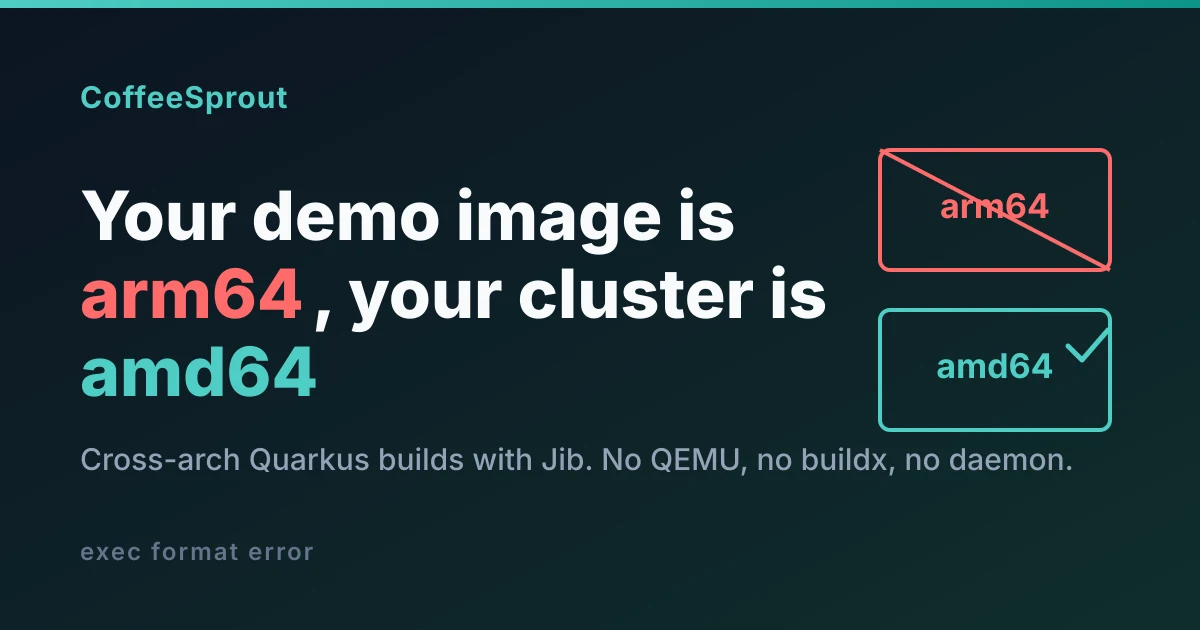
Then I remembered the boring detail that quietly sinks live demos: my laptop is an arm64 Mac, and the cluster is amd64. The image I'd just pushed was linux/arm64. On an amd64 node that pod doesn't start. It dies with exec format error, and you find out on stage.
This post is how I fixed it with Jib, including the two gotchas that cost me the most time: docker on this machine is podman, and Jib not finding my registry credentials.
Confirm the problem first
Don't guess the architecture of a pushed image. Ask the registry. Harbor exposes it per artifact:
curl -sS "https://harbor.wsdc1.coffeesprout.cloud/api/v2.0/projects/demo/repositories/slim-schakelen/artifacts?page_size=1" \
 | python3 -c 'import sys,json;a=json.load(sys.stdin)[0];ea=a["extra_attrs"];print(ea["os"]+"/"+ea["architecture"])'
# linux/arm64   ← built on the Mac, useless on an amd64 node
That one line is worth wiring into your build hygiene. A wrong-arch image is invisible until runtime.
The first instinct (buildx) dies on podman
The Quarkus container-image-docker extension can do cross-platform builds via buildx:
quarkus.docker.buildx.platform=linux/amd64On my machine that blew up immediately:
java.lang.IllegalArgumentException: The 'buildx' properties are specific to
'executable-name=docker' and can not be used with the 'podman' executable name.
Either remove the `buildx` properties or the `executable-name` property.
Because on this Mac docker is podman:
$ docker --version
podman version 5.8.2
$ docker buildx version
buildah 1.43.1
The extension detects the podman executable and refuses buildx outright. You can sidestep it by pinning the platform in the Dockerfile FROM line (FROM --platform=linux/amd64 ...) and letting podman pull the amd64 base. For a JVM image it works, because there are no RUN steps to emulate. But at that point you're maintaining a Dockerfile and leaning on the daemon for something that doesn't need one. There's a better tool.
Why Jib is the right tool here
Jib builds OCI images without executing anything: no daemon, no docker build, no shelling out. It assembles your application layers on top of the base image's layers and writes the result straight to the registry.
That property is exactly what makes cross-arch trivial. A JVM container has no compile or RUN steps; it's a JRE base plus some jars. So building an amd64 image on an arm64 host needs zero emulation. Jib just selects the amd64 manifest of a multi-arch base image and stacks arch-neutral jar layers on it. One config line, no QEMU, no buildx, no daemon.
(For a same-arch local build this is a marginal convenience. The moment your build host and deploy target differ, it stops being marginal.)
The setup
Swap the extension in pom.xml:
<!-- was: quarkus-container-image-docker -->
<dependency>
    <groupId>io.quarkus</groupId>
    <artifactId>quarkus-container-image-jib</artifactId>
</dependency>
Configure it in application.properties. Image coordinates are the same as any container-image extension; the Jib-specific bits are the base image and the platform:
# image coordinates -> harbor.wsdc1.coffeesprout.cloud/demo/slim-schakelen:<version>
quarkus.container-image.registry=harbor.wsdc1.coffeesprout.cloud
quarkus.container-image.group=demo
quarkus.container-image.name=slim-schakelen
quarkus.container-image.tag=${quarkus.application.version}

# build for the deploy target (amd64), from an arm64 Mac, no QEMU
quarkus.jib.base-jvm-image=registry.access.redhat.com/ubi9/openjdk-25-runtime:latest
quarkus.jib.platforms=linux/amd64
No Dockerfile. Jib derives the fast-jar layering and the entrypoint from the base image. Make sure the base is genuinely multi-arch for the platform you want. The Red Hat UBI images are:
$ docker manifest inspect registry.access.redhat.com/ubi9/openjdk-25-runtime:latest \
  | python3 -c 'import sys,json;print([m["platform"]["architecture"] for m in json.load(sys.stdin)["manifests"]])'
['amd64', 'arm64', 'ppc64le', 's390x']
Gotcha: Jib can't find your podman login
This one catches you on a podman-based setup. Jib is pure Java. It does not ask the daemon for credentials. It reads ~/.docker/config.json (and Docker credential helpers). But docker login on this box is podman login, which writes to a different file:
$ python3 -c 'import json,os;print(list(json.load(open(os.path.expanduser("~/.docker/config.json")))["auths"]))'
['registry.example.com']                        # not our Harbor

$ python3 -c 'import json,os;print(list(json.load(open(os.path.expanduser("~/.config/containers/auth.json")))["auths"]))'
[..., 'harbor.wsdc1.coffeesprout.cloud', ...]   # the creds are here, where Jib won't look
So Jib's push fails with a 401 even though you're "logged in". You could symlink podman's auth.json into a DOCKER_CONFIG directory, but a scoped robot account plus environment variables is better hygiene than a personal login anyway.
A Harbor robot account, the non-interactive way
The harbor-cli is interactive-hostile in a non-TTY shell (it tries to open /dev/tty and panics). The flags-plus-export path works headless:
harbor project robot create \
  --project demo --name jib --duration 30 \
  --all-permission --export-to-file
# Successfully created robot account 'robot$demo+jib' (ID: 106)
# Secret saved to robot$demo+jib-secret.json
Then feed the credentials to Jib as env vars at build time. They never touch the repo or application.properties:
export QUARKUS_CONTAINER_IMAGE_USERNAME=$(python3 -c 'import json;print(json.load(open("robot$demo+jib-secret.json"))["name"])')
export QUARKUS_CONTAINER_IMAGE_PASSWORD=$(python3 -c 'import json;print(json.load(open("robot$demo+jib-secret.json"))["secret"])')

./mvnw package -Dquarkus.container-image.push=true

rm "robot\$demo+jib-secret.json"   # don't leave the secret lying around
QUARKUS_CONTAINER_IMAGE_USERNAME / _PASSWORD map onto quarkus.container-image.username / password, which Jib uses directly. No config-file dance.
One sharp edge: the robot secret is shown exactly once, at creation. If you lose it you harbor project robot refresh <id> (interactive, needs a real terminal) or just create a new one. Don't plan on recovering it.
The push
[INFO] Starting (local) container image build for jar using jib.
[WARNING] Base image 'registry.access.redhat.com/ubi9/openjdk-25-runtime' does
          not use a specific image digest - build may not be reproducible
[INFO] Using base image with digest: sha256:e54361d0eafddaba40c0da3dbcf3ac077aaecd3fc4e30e93b50a7a94a57a0753
[INFO] Container entrypoint set to [/opt/jboss/container/java/run/run-java.sh]
[INFO] Pushed container image harbor.wsdc1.coffeesprout.cloud/demo/slim-schakelen:0.1.0-SNAPSHOT
[INFO] BUILD SUCCESS
Note the warning: a :latest base means the build isn't byte-for-byte reproducible. Jib gives you reproducibility (deterministic timestamps, no daemon entropy) but only if you pin the base by digest. For a throwaway demo I left it on :latest; for anything you'll rebuild and compare, pin it:
quarkus.jib.base-jvm-image=registry.access.redhat.com/ubi9/openjdk-25-runtime@sha256:e54361d0...Verify it's amd64, and that it runs
Tagged-but-dead is the failure mode to rule out. Check the arch in Harbor:
$ curl -sS "https://harbor.wsdc1.coffeesprout.cloud/api/v2.0/projects/demo/repositories/slim-schakelen/artifacts?page_size=1" \
  | python3 -c 'import sys,json;ea=json.load(sys.stdin)[0]["extra_attrs"];print(ea["os"]+"/"+ea["architecture"])'
linux/amd64
Then prove it boots. On the arm64 Mac, podman runs the amd64 image under emulation: slower to start, but a fine smoke test:
$ docker run --rm -p 8080:8080 harbor.wsdc1.coffeesprout.cloud/demo/slim-schakelen:0.1.0-SNAPSHOT
WARNING: image platform (linux/amd64) does not match the expected platform (linux/arm64)
...
$ docker exec slim-schakelen uname -m
x86_64
$ curl -s localhost:8080/q/health/ready
{"status":"UP",...}
Startup was ~8s emulated versus ~2s native, exactly what you'd expect from QEMU running the JVM. On the actual amd64 node it's native and fast. The "platform does not match" warning just means podman is emulating; harmless.
When to reach for this
- Build host ≠ deploy host architecture. The headline case. Apple Silicon dev, amd64 cluster (or vice versa). Jib turns it into one property.
- No daemon in CI. Jib needs no Docker socket, so it builds in a plain Jenkins or GitLab runner with no DinD.
- You want a manifest, not a Dockerfile. No
FROM, no layer-ordering tricks for cache. Jib lays out a sensible deps/app split for you.
Where it's not the answer: if you need real RUN steps (install packages, run a build inside the image), Jib can't do that. It never executes anything. For a JVM service that's a feature, not a limitation.
The whole change was a one-line dependency swap, two properties, and a robot account. The arch bug that would've bitten on stage is gone, and the build no longer cares what laptop it runs on.
References
- Quarkus container images guide: the Jib and Docker extension properties, including
quarkus.jib.base-jvm-image,quarkus.jib.platforms, andquarkus.docker.buildx.platform. - Jib: the daemonless image builder, and why rebuilding the same contents produces the same image.
- Red Hat UBI OpenJDK container images: the
ubi9/openjdk-25-runtimebase used here. - Harbor robot accounts: scoped, non-interactive credentials for pushing from CI or a build host.
This is one of a small series of Java-on-containers traps we've written up. See also how Docker 29 breaks Testcontainers 1.x in CI, how Testcontainers reuse left 172 zombie containers on my laptop, why JAVA_OPTS_APPEND is a fallback, not an append on Red Hat UBI images, and the JDK 25 AOT cache portability trap.
Running Quarkus and tired of walking into this kind of thing alone? Talk to us about managed Java hosting.