
The email
In June our primary datacenter told us the building was closing. Worldstream's DC1 in Naaldwijk, home to our main rack for more than ten years, would be emptied later in the year and then demolished. Every customer had to move.
For us, that rack was most of production: a Proxmox cluster of around ten hypervisors, two storage servers, the routers, the switches, and the public IP range that our customers' DNS records point at.
A forced move like that can mean new IP addresses, months of renumbering customers, and a string of announced cutover nights. This one ended with no customer noticing much of anything. Part of that was the provider making the right things possible. The rest was weeks of planning and staging, then six weeks of evening work on our side.
Same group, different building
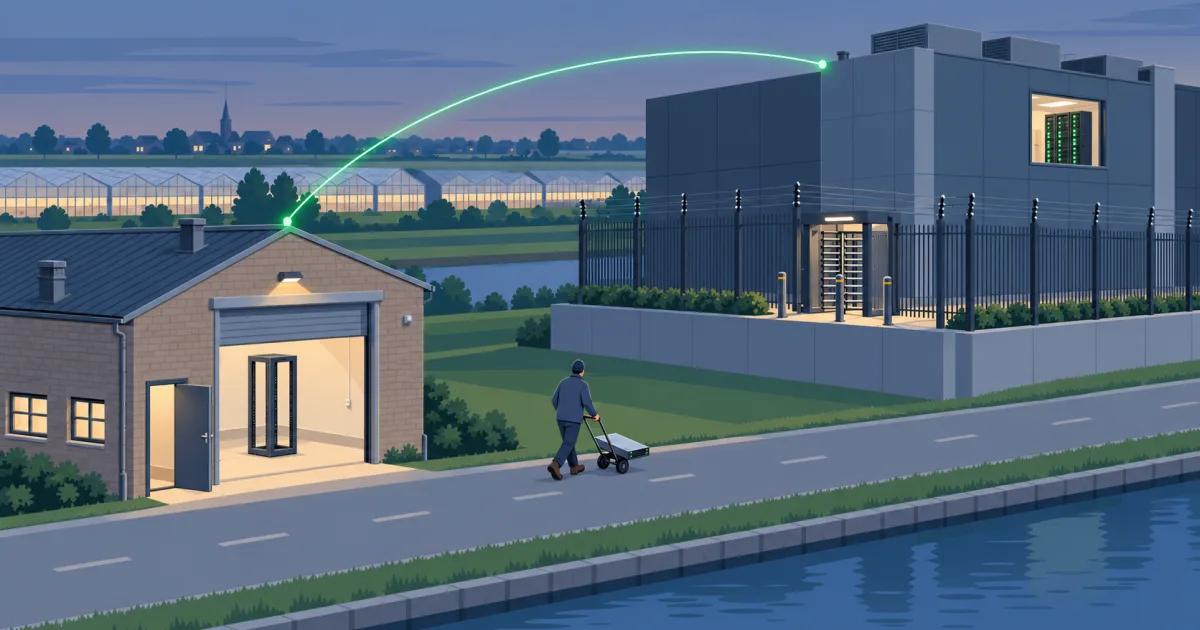
Worldstream's answer was Greenhouse, a separate datacenter brand in the same group, in a building about 91 metres down the road. The facilities are separate, but the network behind both is Worldstream's.
So our IPv4 and IPv6 ranges stayed exactly as they were, and every customer DNS record, firewall allow-list and VPN configuration kept working without a change. That was in the contract from the start, and that's how it went.
Worldstream's fabric, the WEN, also lets a customer publish their own VLANs into it. Publish the same VLANs in the old rack and in the new one, and the two racks share one network even though they sit in different buildings.
Our link to the inter-datacenter exchange, which connects this site to our others, was re-patched by Worldstream at the facility level. No new circuit to order, no third party to coordinate with.
They also took pressure off the calendar. The new rack was free until October, the extra traffic over their fabric during the migration was waived, the old rack's October invoice was credited, and the real hard stop (building locked on 1 December) was on the table early.
From ground level to one and a half floors up
The old DC1 was a building converted into a datacenter. The ground around it sits between 20 cm below and 90 cm above sea level. Our rack was on the ground floor, and our half rack was the bottom half of it. Badge in, show your face to the scanner, walk to the rack, kneel.
Greenhouse was built as a datacenter from the start, and you can tell. Getting to the room takes some getting used to: up the stairs one floor, then another half floor. Our hardware now sits at least three metres above ground level, which in the Netherlands counts as a flood strategy.
Security starts before you reach the door. There's a turnstile outside and an electric fence that is very obviously powered. I took their word for that part and didn't test it. The building is also staffed around the clock, which I appreciate most of all.
It runs warmer too. The cold aisle at Greenhouse is kept at 26 degrees by design, in line with energy-efficiency rules and the ASHRAE recommended range. DC1 ran at 20 to 21. In the first week our temperature alerts fired on servers that were perfectly fine, and we ended up adjusting the thresholds rather than the servers.
The plan
The hardware had to move while the workloads stayed put, as far as customers could tell.
Proxmox can live-migrate a running virtual machine from one host to another, memory and disk included, with a pause of milliseconds. Both hosts have to be on the same network for that, and the WEN gave us one network across the two buildings.
The plan:
- Build the new rack first, with its own switches and a router, and stretch our internal networks across to it.
- Put new hosts in the new rack, join them to the existing cluster, and live-migrate VMs onto them.
- Empty a few old hosts, switch them off, put them in the car, rack them at Greenhouse, and bring them back into the cluster.
- Repeat until the old rack is empty.
There was a single Proxmox cluster the whole time, and for six weeks it happened to live in two buildings.
Most of the work happened before anything moved. The rack layout and power budget were drawn up in July. The new switches were built and tested on a bench at home before they went near a datacenter. The big evenings each had a written runbook with abort criteria, and the most sensitive customer VMs only moved in windows agreed with the customer.
Delivery day
The new rack was handed over on 18 August. In the morning the new switches and two fresh servers went in, and the uplinks into Worldstream's fabric came up on the first try. Our public IP range was visible in the new rack before we'd configured anything: the old router's addresses and Worldstream's gateway showed up straight away.
That evening I emailed Worldstream the list of VLANs to publish, which is the entire procedure. We enabled them one at a time, starting with a canary. A hypervisor in the old building answered a ping from the new one in 0.24 ms, across a provider fabric.
The two new servers then joined the cluster, which now had ten nodes across two buildings. At 21:08 the first production VM live-migrated across in under three minutes.
The numbers
We measured the first public-facing VM with external pings every 200 ms and an HTTP probe running throughout. The whole migration took almost six minutes, most of it copying a 150 GB disk. Customers would have seen a gap of about three seconds: one failed HTTP probe. Response times afterwards matched those before.
That became the expected cost per VM, and most did better, with cutovers of tens of milliseconds. A 500 GB production PostgreSQL database moved live with no downtime at all, after 26 minutes of mirroring.
Kubernetes nodes went one at a time: drained, shut down, moved, started, and the cluster checked back to full health before the next node was touched. Each node was gone for one to three minutes while the clusters stayed up.
Every physical move started after the nightly backup had finished, so each box went into the car with a fresh backup behind it.
Moving the boxes
With the new rack carrying load, the old hosts went across in batches of two or three per run through late August and September.
A Proxmox cluster only accepts changes while a majority of its nodes can see each other. If the link between the buildings drops while the nodes are split evenly, neither side has a majority and both stop accepting changes. Running VMs keep running, but nothing can be managed. We planned every trip so the cluster never sat on an even split. The arithmetic is simple, and easy to get wrong at 21:00 with a server under your arm.
When we moved one customer's database to the new building ahead of its application servers, nothing broke. Every query started travelling to the other building. Our monitoring doesn't flag that. The application gets slower and now depends on the link between buildings. We moved the applications across the same evening.
Two hosts had their network cables swapped between the two switches. Everything on the server side looked fine. Only the switches could show it, because in our setup only the active link sends traffic. We fixed it while the rack was still open.
While pulling cables out of the half-empty old rack, I knocked out a power lead on a host that was staying put. Its second power supply carried it.
The last day
On 30 September the old rack was emptied: the storage servers, the primary router and the last of the switches.
The router needed the most care, because everything routes through it. The backup router had been waiting in the new rack since August. Early that morning it took over all internal routing, with automatic rollback timers armed in case anything went wrong. Nothing did. The primary router was then switched off, carried across and racked, and routing was handed back to it.
Worldstream re-patched our exchange connection to the new rack the same day. By 14:00 the old rack held only fibre ends, and the old switch stack was powered off for the first time since March 2022.
The final check showed nine nodes (we retired some older boxes along the way), all guests running, all gateways up, links to our other sites up, and the next morning's backups complete.
For customers, the migration weeks meant a few seconds here and there on public VMs. On the final day, two services with no active users were offline while the router was in the car, and two backup jobs paused while the storage servers travelled.
The cross-connect we didn't need
We had planned a dedicated fibre between the two racks to carry the cluster's internal traffic, keeping it off the shared fabric. It never lit. We parked it, since the fabric carried everything without trouble. Every live migration and every byte of storage replication went over Worldstream's network.
Credit
Worldstream and Greenhouse let us keep our addresses, stretch our networks between the buildings and move our external connections without paperwork, and they were clear about the real deadline from the start. That let us do a forced move at our own pace.
Between our own sites
We use the same pattern between our own datacenters. Our sites in Naaldwijk, Amsterdam and Zoetermeer are tied together over an inter-datacenter exchange, with VLANs carried across a provider fabric so that a network in one building can exist in another.
The next site is already racked: InterDC in Doetinchem, going live soon. It connects directly to Amsterdam over a partner's fabric, with a stretched VLAN so the two sites share one network, and reaches Worldstream and the rest through Amsterdam. At about 13 metres above sea level, it's also by some distance our highest datacenter.
Underneath all of that runs an encrypted WireGuard mesh as a fallback path, so losing the exchange slows us down without cutting us off.
The Greenhouse move used the same idea between two neighbouring buildings: the network went first, the workloads followed over it, and the hardware moved last.
Want to know where your applications would run? Read about our infrastructure, or talk to us.